AI Camera Monitoring for Remote Sites Across Australia and New Zealand
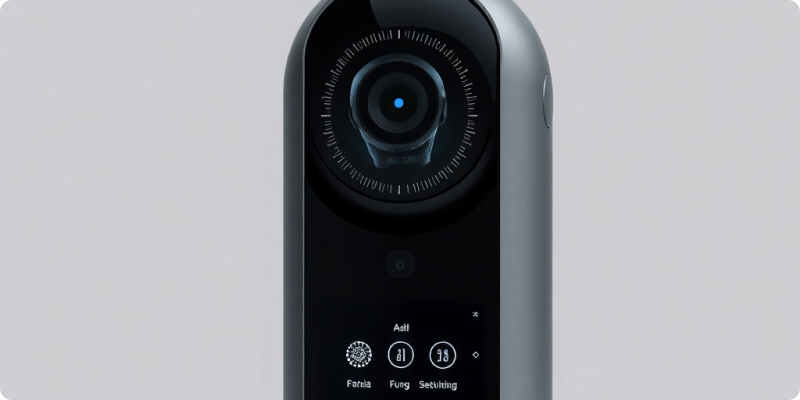
AI camera monitoring for remote sites can give operations teams earlier awareness without requiring a person to stare at live feeds. Across Australia and New Zealand, remote depots, farms, utilities, construction areas and equipment yards may sit hours from the nearest manager. A well-designed system can surface defined events, but it must cope with the site’s actual power, connectivity, weather and response options.
The right question is not “Can we stream every camera continuously?” It is “What information does a responder need, and how reliably can this site deliver it?” That shift leads to smaller data demands, clearer escalation and a design that stays useful when conditions are less than perfect.
Survey the site before selecting settings
Capture real network behaviour
Build an inventory of cameras, recorders, network devices and power sources. Note camera views during darkness, glare, rain and busy operating periods. Confirm whether vegetation moves across a zone, animals pass through, machinery changes position or temporary lighting appears. These details shape detection zones and reduce avoidable alerts later.
Measure upload performance over several days rather than trusting a service-plan headline. Record typical speed, latency, packet loss and outages at different hours. Ask what else shares the connection and whether traffic shaping is available. If the link uses cellular or satellite service, understand data limits and how conditions affect it. This evidence helps the team choose stream quality and failover behaviour.
Match analytics to a response that exists
A remote-site alert has value only if someone can assess and respond. Prioritise events such as a person entering a restricted compound after hours, a vehicle arriving outside a delivery window or movement near stored equipment. Avoid vague rules that generate activity without context.
For each event, name the first contact, backup contact and expected action. A responder may open live video, call an onsite worker, use a speaker where appropriate or engage a contracted service. Set realistic response times based on distance and safety. The platform can improve awareness; it cannot create an emergency service or make an unsafe intervention appropriate.
Use bandwidth where it adds value
Not every feed needs identical resolution, frame rate or schedule. Give priority cameras enough quality to support their defined use and reduce demand from low-value views. Event-led workflows can send compact alert information first, allowing an authorised user to open live video when needed. Schedule non-urgent administrative traffic away from operating peaks where practical.
Test how long an alert takes to arrive under ordinary and constrained conditions. Include simultaneous events and a busy network. If a lower-quality stream makes the chosen detection unreliable, address that trade-off explicitly. Moving a camera closer or improving lighting may solve more than consuming extra bandwidth.
Plan for power and connection failures
List every single point of failure: camera power, local switching, router, modem, antenna and upstream service. Decide whether the risk justifies an uninterruptible power supply, redundant connection or local recording. Monitor device health so a silent camera does not create false confidence. Route technical faults differently from security alerts and give them an owner.
Write the degraded-mode procedure. Staff should know what visibility remains during an outage, how the outage is reported and what temporary controls apply. After service returns, confirm that streams, rules and time settings recover correctly. Include these checks in planned maintenance rather than waiting for an incident to reveal a gap.
Reuse current cameras where they are fit for purpose
Remote locations can be costly to revisit, so assess existing equipment carefully. Collect manufacturer and model details, available stream formats, recorder configuration and sample views. Some cameras may integrate directly, while others may need a configuration change or targeted replacement. See the camera compatibility guide for the information that supports an efficient review.
Check physical condition as well. Dust on a lens, water ingress, spider webs and a shifted mount can undermine the best analytics. Establish a cleaning and inspection interval suited to the environment. Assign someone to verify the view after storms, civil works or changes to stored materials.
Run a realistic remote-site pilot
Select a pilot that represents the harder locations, not the office beside head operations. Test day and night, expected work, authorised after-hours access and staged scenarios. Record delivery time, alert quality, data use and responder outcome. Tune the rule, then repeat the same test so improvement is measurable.
Once stable, create a site template for naming, connectivity settings, users, escalation, maintenance and outage handling. Group future sites by conditions—such as cellular yard, satellite depot or fibre-connected plant—rather than forcing one configuration across the map. Central oversight becomes more useful when teams can compare like with like.
Prepare the information for an informed design
Start with a map, camera list, connection type, operating schedule and two events that matter most. Review how Surnexo works to see how compatible feeds become alerts and remote visibility. Include any data caps, outage history and local response constraints when you request a quote. Those details help shape a resilient pilot instead of a showroom-only demonstration.
Experience AI-Powered Security Today
Discover how our intelligent cameras can transform your home security with advanced AI features, easy setup, and 24/7 protection.