AI Surveillance for Hotels, Clubs and Hospitality Venues in New Zealand
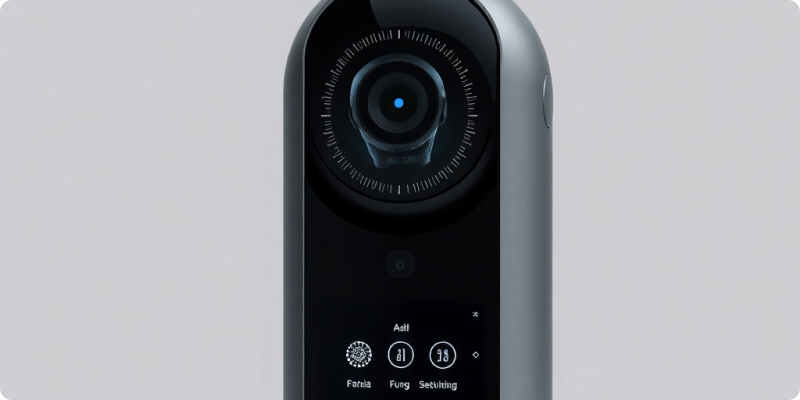
AI surveillance for hospitality venues can help hotels, clubs and other New Zealand operators bring attention to a defined event without requiring continuous screen watching. These environments are open and welcoming by design, yet they also contain staff-only doors, cash-handling areas, loading zones, car parks and late-night transitions. Smart alerts can add useful awareness when they are precise, proportionate and connected to trained people.
The aim is not to interpret a guest’s intent or automate a sensitive judgement. It is to detect observable conditions—such as entry into a configured area at a relevant time—and provide visual context for human verification.
Design around the guest journey
Walk the venue from arrival to departure. Identify public entrances, reception, lifts, corridors, event rooms, service lanes, storage and staff access. Note when each zone shifts from busy to quiet and who is responsible. A lobby needs a different rule from a closed function room or a rear delivery door.
Start with areas where a timely check can lead to a clear action. After-hours movement at a staff entrance might notify the duty manager. Entry into a closed pool area could prompt remote verification under the venue’s safety procedure. A vehicle remaining in a restricted loading zone might create an operational alert rather than a security escalation.
Keep alert definitions objective
Write rules in terms of area, object, direction, duration and schedule. “Person enters the marked service corridor between midnight and 5 am” is testable. “Suspicious guest” is subjective and invites inconsistent interpretation. Technology should narrow attention, not label people.
Configure escalation according to the venue’s staffing model. The overnight duty manager, security provider and general manager should not necessarily receive the same events. Give notifications a clear site, camera, time and short clip. Establish a fallback when the first contact is helping a guest or otherwise unavailable.
Test cameras in hospitality conditions
Lighting and crowds
Decorative lighting, glass, mirrors and rapidly changing event layouts can affect image quality. Test during check-in peaks, functions, cleaning and overnight low light. Confirm that an overview provides enough context and that any priority doorway has an appropriate targeted view.
Existing systems
Many venues already have cameras installed across several refurbishments. Record model, stream, position and image quality, then consult Surnexo’s camera compatibility information. A selective upgrade may make more sense than a complete replacement, particularly when the existing view and network are suitable.
The Surnexo how it works page explains how configured camera events become alerts. During a pilot, include ordinary guest flow and special events so the team can measure real alert quality rather than relying on a quiet demonstration.
Give staff a safe response playbook
For each alert type, write the verification step, expected response and escalation boundary. Staff should follow established safety and emergency processes and avoid confrontation. A camera shows only its field of view, so recipients must treat the clip as context rather than complete proof.
Train permanent and relief managers. Use tabletop scenarios and planned tests, then review what slowed the response. Keep instructions short enough to use during a busy shift. Record confirmed events and outcomes so the venue can distinguish a useful rule from a noisy one.
Protect guest and staff privacy
Hospitality cameras may capture identifiable guests, workers, contractors and visitors. The New Zealand Privacy Commissioner’s CCTV guidance advises organisations to define the purpose, collect only what is necessary, tell people about recording, secure footage, limit access and decide retention before installation. It suggests conducting a privacy impact assessment to identify issues early.
Avoid cameras in places where people reasonably expect a high degree of privacy, and carefully assess views near sensitive facilities. Use visible signage before monitored areas, document each camera’s purpose and restrict exports. The Commissioner states that audio is more invasive and suggests switching it off when it is not necessary. Seek appropriate advice for the venue, especially before considering covert monitoring or advanced identification features.
Have a process for requests from people seeking footage about themselves. The Commissioner’s official access-request guidance notes that businesses need a way to respond and should consider each request on its circumstances, including the privacy of others in the recording.
Measure service as well as detection
Track useful alerts, nuisance alerts, missed test events, acknowledgement time, camera uptime and completed follow-up. Also ask whether notifications disrupted guest service unnecessarily. Tuning should reduce noise without hiding the event the rule was created to find. Review the system after layout, opening-hour or staffing changes.
A hospitality deployment should feel disciplined and unobtrusive: the right view, a narrow event and a calm human response. To plan a pilot around your venue and existing cameras, request a quote from Surnexo.
Experience AI-Powered Security Today
Discover how our intelligent cameras can transform your home security with advanced AI features, easy setup, and 24/7 protection.