AI Video Analytics Without Replacing Your Existing Cameras
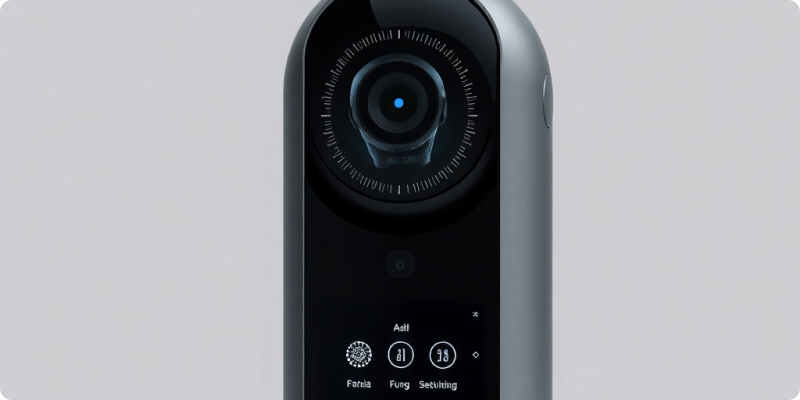
AI video analytics without replacing existing cameras is possible when your current system can provide reliable, authorised video streams. Instead of asking the camera itself to perform every intelligent function, a separate platform analyses the footage and applies rules for the events your team cares about. That separation can extend the value of sound hardware and make a phased improvement practical.
This is not a promise that every legacy camera will work. Compatibility, image quality, network design and the intended detection all matter. A short assessment and pilot will give a more dependable answer than a product label or resolution figure alone.
Where the intelligence sits
A conventional camera captures a scene and encodes it as video. The stream usually travels to an NVR, DVR or viewing application. An analytics layer can receive an available stream, examine frames and create an event when configured conditions are met. The existing recorder may continue storing footage for ordinary review while the AI platform supports attention and response.
This design avoids expecting old camera processors to run new software. It can also bring consistent event handling to a mixed camera estate. However, the platform still needs a supported pathway to the video. RTSP is commonly used for streaming, while ONVIF may assist discovery and configuration. Vendor-specific systems require individual checking.
Four conditions that shape success
1. The stream must be accessible and stable
Confirm whether video is available directly from an IP camera or through the recorder. Document the codec, resolution, frame rate, bitrate, credentials and network route. A stream that drops frequently or changes address without coordination will disrupt analysis. Review Surnexo's camera compatibility information before making changes.
2. The scene must suit the intended event
A clear view of the relevant area matters more than a broad view of everything. Check the size of a person or vehicle in the frame, lighting, reflections, occlusion and motion blur. Test after dark and during busy periods. Clean, refocus or reposition cameras where needed, and use privacy masks or detection zones to avoid analysing irrelevant areas.
3. Connectivity must be secure and proportionate
Use unique accounts, strong credentials and the minimum access required. Keep supported firmware current, restrict management interfaces and avoid putting cameras directly on the open internet. Network segmentation may help protect camera devices. Calculate bandwidth from actual stream settings and concurrent cameras, then observe normal peak usage rather than relying on a single speed test.
4. Alerts need an owner and an action
Define who receives each event, when alerts operate and what the recipient should do. Different rules may apply to a loading bay, shop entrance or remote yard. Document escalation and backup coverage. AI can bring selected footage to human attention, but site leadership remains responsible for policy, verification and response.
Build a pilot around a real workflow
Select a small number of representative cameras and one or two specific events. Establish a baseline from current operations, including how staff discover and review incidents. Then connect the test streams, draw relevant zones and run the pilot across routine variations such as shift changes, deliveries, weather and weekends.
Review results with people who know the site. Note useful alerts, missed test events, nuisance triggers, network interruptions and unclear responsibilities. Adjust configuration methodically rather than changing several variables at once. The how it works overview explains how assessment, connection and ongoing use fit together.
Useful pilot questions
- Does the view contain enough visual detail for the chosen purpose?
- Are alerts relevant across both ordinary and unusual site activity?
- Can recipients understand the event and follow the response plan?
- Does video remain available without compromising existing recording?
- Which configuration or hardware changes would improve the next phase?
Know when selective replacement still helps
Keeping existing cameras should not become a constraint. Replace a unit if it cannot expose video, is no longer supported, fails intermittently or cannot show the required area clearly. Sometimes the recorder is the bottleneck and a supported replacement unlocks multiple cameras. In other cases, a new focused camera beside an existing overview provides the most balanced result.
Plan expansion by priority rather than camera count. Start with locations where timely awareness supports a clear operational response, then add cameras after evidence from the pilot. Maintain an inventory, named system owners, credential processes and periodic rule reviews so the deployment stays supportable.
If you want to reuse your current CCTV, gather camera and recorder models, a network outline and examples of the events you want to manage. Then request a demo and ask for a quote. Surnexo can review the streams, identify practical adjustments and scope an analytics rollout that works with the useful equipment already on site.
Experience AI-Powered Security Today
Discover how our intelligent cameras can transform your home security with advanced AI features, easy setup, and 24/7 protection.