Multi-Site Camera Monitoring for New Zealand Franchises and Retail Groups
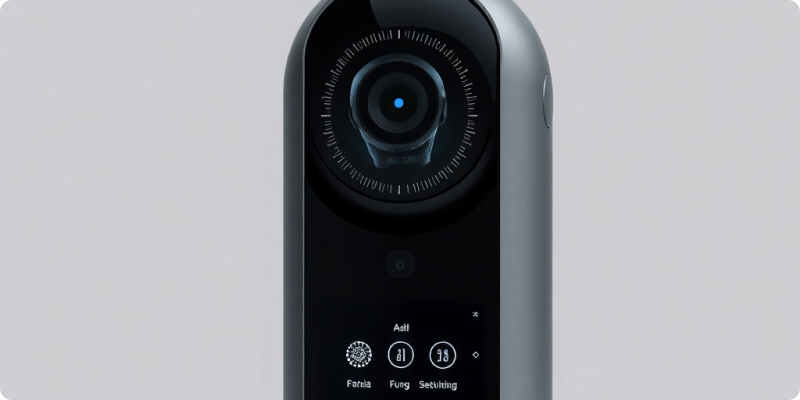
Multi-site camera monitoring gives New Zealand franchises and retail groups a consistent way to see priority events across locations without asking someone to watch a wall of live video. The technology can centralise alerts and camera health, but the harder—and more valuable—work is operational: agreeing which events matter, who owns them and how standards apply across stores with different layouts and trading patterns.
A strong programme preserves local context while removing avoidable variation. It gives head office comparable information, lets regional managers act within clear boundaries and makes problems such as an offline camera visible before footage is needed.
Build a common operating model first
Define a small catalogue of events that the group wants to manage. Examples could include after-hours entry, access to a high-value stockroom, movement at a rear delivery door outside scheduled windows or a camera going offline. Give every event a severity, primary recipient, acknowledgement target and escalation path.
Then document the exceptions. A mall store may share public access with neighbouring tenants, while a standalone outlet has a private yard. Store hours, deliveries and local contacts will vary. Keep the event definition consistent, but allow an approved local schedule or zone where the physical context demands it.
Standardise names, roles and permissions
Use names people can understand
“Store 042 – rear delivery door” is immediately useful; “CAM07” is not. Apply a naming convention to sites, cameras, zones and alert types. Include time zone and contact information in the site record. Clear names shorten review time and make reports comparable.
Grant access by responsibility
A store manager may need cameras from one location, a regional manager from a defined group and a central security role from the whole network. Separate live view, playback, configuration and export rights. Use individual accounts, strong authentication and regular access reviews. Franchise ownership arrangements should be reflected in the design rather than hidden behind a shared login.
Assess the existing estate
Retail groups often inherit several camera brands, recorder generations and network configurations. Create an inventory that records model, firmware, stream availability, position, image quality and recording status. Use Surnexo’s camera compatibility guidance to identify likely integration paths, then validate representative devices rather than assuming every camera in a product family behaves the same.
Classify each location: ready to connect, needs targeted remediation or requires a broader refresh. This avoids replacing capable cameras at one site while overlooking poor views or unreliable networks at another. Budget for survey and remediation as well as licensing.
Create alerts that scale
A small amount of noise multiplied by fifty stores becomes an operational burden. Pilot templates at different site types and count useful, nuisance and missed events. Use zones and schedules aggressively, and nominate someone to approve changes. The Surnexo how it works overview explains how analytics can surface selected events for review rather than requiring continuous viewing.
Route alerts according to severity and time. A local manager may handle a low-priority event during trading hours, while a central or contracted response team handles a defined after-hours event. Avoid sending every notification to everyone. Escalation should be deliberate and tested, including holidays and staff absence.
Monitor the monitoring system
A central programme should surface camera outages, lost streams, storage issues and sites that have stopped reporting. Set service expectations for triage and repair. Report uptime by location and camera purpose; the loss of a critical rear-door view deserves a different priority from a non-essential overview.
Track alert acknowledgement, confirmed events and recurring nuisance causes. Use the data to improve lighting, store process or physical controls as well as analytics. A weekly operational review during rollout and a monthly governance review after stabilisation can keep responsibility visible.
Apply privacy controls consistently
The New Zealand Privacy Commissioner’s official CCTV guidance advises organisations to define why footage is collected, tell people about recording, minimise collection, secure the information, control access and set retention. A multi-site group can translate those points into standard signage, camera-purpose records, access roles, deletion settings and incident-export procedures.
Site differences still matter. Review views that include public areas, neighbouring premises, staff spaces or other sensitive contexts. Do not enable audio by default; the Commissioner describes it as more invasive and advises turning it off when visuals are sufficient. Obtain appropriate privacy or legal advice for franchise structures and particular uses.
Roll out in representative waves
Start with a small mix: perhaps one mall tenancy, one standalone store and one location with older equipment. Set acceptance measures before connection, capture lessons and refine templates. Move to the next wave only when support, training and reporting can absorb it. Give every site a launch checklist and named contact.
Central visibility becomes valuable when it produces consistent action, reliable health and accountable access. To assess a mixed camera estate and plan a phased programme, request a quote for your franchise or retail group.
Experience AI-Powered Security Today
Discover how our intelligent cameras can transform your home security with advanced AI features, easy setup, and 24/7 protection.