Seven Signs Your Current CCTV System Needs an AI Upgrade
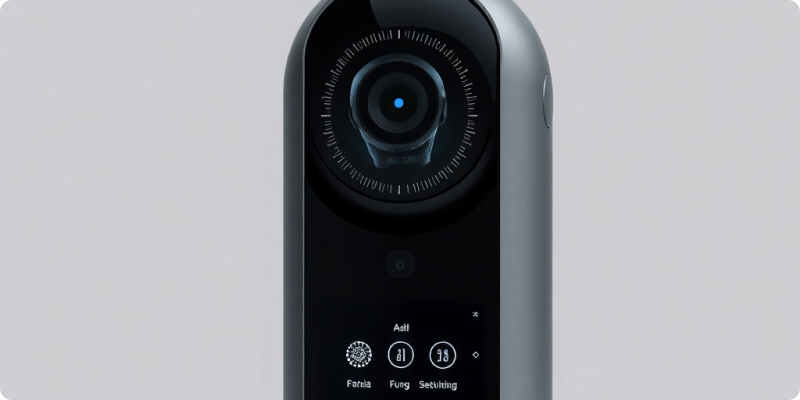
If your CCTV system needs an AI upgrade, the clearest signs usually appear in daily operations: important footage is difficult to find, staff cannot watch every screen, and useful cameras only become valuable after an incident. An upgrade can add event analysis and targeted alerts while retaining compatible equipment, but it should solve defined problems rather than add technology for its own sake.
Use these seven signs as a structured review. One sign may call for a configuration change; several together may justify a pilot. Keep ordinary recording, privacy obligations and human decision-making central throughout.
1. Staff only review video after something happens
Traditional CCTV is often reactive. Someone reports an incident, then a staff member searches recordings. AI analysis can bring selected events to attention closer to the time they occur, provided the team defines a relevant rule and response. Start with one operationally meaningful event instead of trying to label every movement.
2. Important events take too long to find
Searching hours of video across several cameras consumes time and can produce inconsistent results. Event-based markers and filters may help reviewers narrow the footage that deserves attention. The source picture must still show the relevant subject clearly, and staff should verify context before acting or exporting evidence.
3. Operators face too many screens
Adding cameras increases coverage but also increases the volume of video. People cannot give equal attention to every live view indefinitely. A carefully configured analytics layer can prioritise selected events and views. It does not replace an operator; it helps direct limited attention according to an approved plan.
4. Basic motion alerts create noise
Simple pixel-change detection may react to shadows, rain, headlights, vegetation or animals. When recipients receive repeated irrelevant alerts, they may begin ignoring all of them. Modern analytics can apply object types, zones and schedules, but results still depend on camera angle and configuration. A pilot should measure nuisance alerts under normal conditions and tune one variable at a time.
5. Site rules are hard to monitor consistently
A restricted yard may have different access expectations after hours; a loading area may require attention only in particular zones. If staff rely on memory to monitor these conditions, defined analytics rules may add consistency. Each rule needs an owner, an active schedule and a documented action. Avoid alerts for situations where nobody can or should respond.
6. You have useful cameras but limited integration
Recent IP cameras may already supply stable RTSP streams or support ONVIF, yet remain tied to basic recording and playback. An AI layer can potentially reuse those streams. Check exact camera and recorder models, firmware, codecs and network paths on the camera compatibility page. Closed cloud cameras and some proprietary recorders may require a different route.
7. Your CCTV estate has grown without a clear plan
Sites often accumulate different brands, recorders and settings over time. That can leave inconsistent passwords, unknown camera purposes and gaps in support. An AI project is a good reason to create an inventory, improve account management and rank views by operational value. It may reveal that some cameras should be repositioned or replaced before analysis is added.
What an AI upgrade should include
A credible plan covers more than software. It assesses scene quality, stream access, network capacity, cybersecurity, notification ownership, retention and lawful use. It also explains how existing recording behaves during the integration and what happens if a network connection or analysis component becomes unavailable.
A practical first-phase checklist
- Choose one or two clear events with a defined response.
- Select representative cameras that show the relevant areas.
- Review footage across day, night, weather and routine activity.
- Confirm secure stream access and measure actual network use.
- Send test notifications to named recipients and rehearse the action.
- Record useful alerts, nuisance triggers, interruptions and missed tests.
Use the findings to decide which cameras are ready, which need adjustment and which should be selectively replaced. The Surnexo how-it-works guide shows how assessment, connection and validation form a manageable rollout.
Avoid replacing everything by default
An AI upgrade does not automatically mean a new camera estate. Stable cameras with suitable views and accessible streams may remain valuable. An NVR change can sometimes unlock several channels, while a single focused IP camera may fill a weak view. Compare reliability, support status and whole-life cost instead of deciding by age alone.
Equally, do not preserve equipment that is unsupported, insecure or unable to show the required detail. Software cannot correct a blocked lens, failing power supply or unusable source image. A hybrid plan should protect sound investment without allowing weak components to undermine the intended workflow.
Turn the signs into an evidence-based next step
Document the problems staff experience today, the cameras involved and the result you want. Establish a simple baseline such as review time or number of unactionable alerts, then compare the pilot against it without making exaggerated assumptions. Include frontline staff in the review because they understand normal activity and practical response limits.
If several of these signs are familiar, gather your inventory, priority areas and sample footage. Request a demo and ask for a quote for a focused first phase. Surnexo can assess current streams and recommend a measured path from passive recording to useful AI-assisted awareness.
Experience AI-Powered Security Today
Discover how our intelligent cameras can transform your home security with advanced AI features, easy setup, and 24/7 protection.