Smart CCTV for Australian Retail, Warehousing and Multi-Site Operations
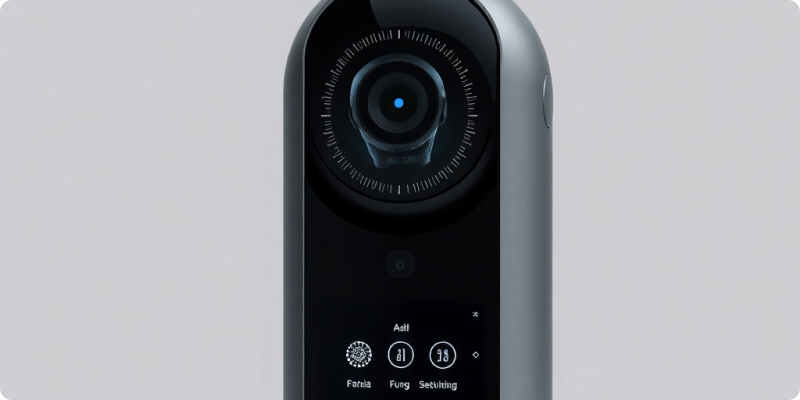
Smart CCTV for Australian retail, warehousing and multi-site operations works best when it connects camera events to an operating decision. It can help a team notice after-hours entry, movement in a restricted zone or activity around a loading area without asking someone to watch every screen. The value comes from relevant alerts and a repeatable response, not from adding the largest possible list of detections.
Retail floors and distribution facilities share some risks, yet their camera scenes behave differently. Stores have constant customer movement, displays that change and busy entrances. Warehouses have forklifts, high shelving, large doors and distinct shift patterns. A multi-site plan needs common standards while leaving enough room for each location to reflect its real work.
Choose use cases close to daily operations
Start with events that already consume staff time. In a store, that may include entry to a stockroom, activity at a closed entrance or a person remaining near a delivery door after hours. In a warehouse, the first use case may cover a fenced boundary, a plant room or a yard during a known closed period.
Describe each rule with four details: the camera or zone, event, schedule and recipient. For example, “If a person enters the marked dispatch zone between 10 pm and 5 am, alert the overnight operations contact.” This format exposes ambiguity before configuration and gives testers a clear scenario to reproduce.
Design for the conditions at each site
Retail locations
Customer-facing sites generate heavy, legitimate movement. Broad motion alerts will quickly become noise. Focus on narrow zones and meaningful schedules, such as staff-only corridors, rear access points and closed sections. Review reflections from glass, seasonal displays and queues that may obscure a view. Store teams should receive only the alerts they can realistically assess and act on.
Warehouses and yards
Large spaces create their own challenges. Headlights, dust, rain, long distances and changing stacks can alter a scene. Test cameras at the hours when an event matters, not only during a bright daytime walk-through. Separate routine vehicle paths from pedestrian exclusion areas and coordinate any video rule with existing safety and security procedures. Analytics can add awareness, but they do not replace physical controls or trained judgement.
Check the current camera estate before buying more
Many businesses can connect at least part of an existing IP-camera estate to cloud analytics. Create a register of camera models, recorder connections, credentials, stream quality, field of view and network capacity. The register will show which sites can begin quickly and where a camera needs repositioning, maintenance or replacement.
Do not judge compatibility by resolution alone. A stable stream and useful angle often matter more than a headline specification. Night performance, frame rate and image obstruction affect what the platform can analyse. Review the camera compatibility guide and provide actual model details so the integration can be assessed with evidence.
Create a usable alert and escalation model
A multi-site dashboard should simplify responsibility, not centralise confusion. Use clear camera names such as “Geelong DC – West Gate”, not factory defaults. Route local operational events to the site, high-priority after-hours events to the appropriate responder and technical faults to platform support. Define what happens when the first recipient is unavailable.
Give responders a concise playbook. It might tell them to inspect the event image, open live video, check a known delivery schedule, contact the site and escalate only when the facts justify it. Track acknowledgement and outcomes during the pilot. If most alerts receive no action, refine the rule rather than blaming users.
Make consistency visible across locations
Set a small group of standards for names, user roles, priority levels, evidence handling and routine health checks. Then let sites vary schedules and zones. This balance makes central reporting meaningful without ignoring local layouts. A standard monthly review can compare alert volume, actionable events, response times, camera availability and unresolved technical issues.
Onboard sites in waves. A pilot store and representative warehouse will teach different lessons. Follow them with a small group that includes varied internet connections, building types and operating hours. Keep a decision log so later sites benefit from tuning work instead of repeating it.
Keep people and governance in the design
Explain the purpose of the system to affected teams and train users before alerts begin. Restrict access to the footage and locations each role needs. Set retention and export processes deliberately, and review workplace, privacy and surveillance requirements applicable to each site with qualified advisers. Make it easy for staff to report a poor camera angle, an inaccurate alert or an access problem.
Surnexo’s overview of how AI camera monitoring works can help operations, IT and security teams discuss the same workflow. Gather the number of sites, current camera models and two priority events per location. Then request a quote for a measured pilot and a rollout plan that fits both stores and operational facilities.
Experience AI-Powered Security Today
Discover how our intelligent cameras can transform your home security with advanced AI features, easy setup, and 24/7 protection.