Smart Security Cameras for New Zealand Farms and Remote Properties
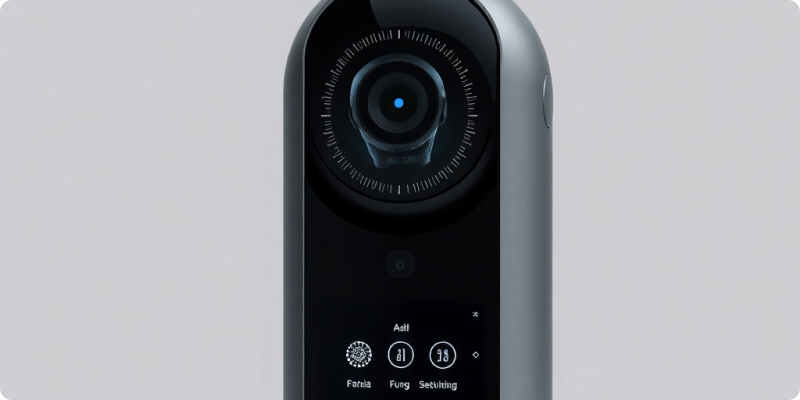
Smart security cameras for New Zealand farms need to do more than produce a clear picture beside the homestead. Rural sites stretch across gates, sheds, fuel stores, workshops and stock areas, often with limited power and patchy connectivity. A useful design identifies the few locations where visibility can change a decision, then builds reliable recording and alerting around them.
AI-assisted detection can help filter routine scene movement and highlight a person or vehicle in a defined zone. It is not a guarantee that every event will be detected, and it cannot replace gates, lighting, locks and response planning. Treat it as one layer in a practical rural security system.
Prioritise assets and approach routes
Map the property before buying cameras. Mark public-road entrances, secondary tracks, implement sheds, fuel tanks, workshops, chemical storage and isolated buildings. For each point, write the event you care about and the action you could take. A vehicle entering the main drive at midday may be ordinary; a vehicle approaching a remote fuel area overnight may justify immediate review.
Give priority to choke points where movement is easier to observe and the image will be useful. Trying to cover every paddock boundary can create cost and maintenance without improving response. A gate or narrow access road may offer better context than a very wide view across open land.
Solve power and connectivity early
Measure the real connection
Test upload performance and stability at each proposed location, not just in the office. Trees, terrain, distance and weather can affect wireless links. Ask how much bandwidth live view, alerts and remote playback require, and how the system behaves when the connection drops. Local recording can preserve footage during an outage, but the design should make delayed or missed remote notification clear.
Design dependable power
Mains power may suit sheds, while a remote gate may require a carefully sized solar and battery setup. Account for winter conditions, device consumption and network equipment as well as the camera. Protect cables and enclosures from weather, animals and accidental machinery contact. Include low-power or offline notifications so a failure does not remain invisible.
Make the image useful day and night
Position cameras to see faces or vehicle characteristics at the point that matters without relying on extreme digital zoom. Avoid aiming directly into sunrise, sunset or headlights where possible. Check infrared reflections from nearby surfaces, insects and rain. Supplemental lighting may improve both image quality and deterrence at selected buildings.
If an existing system already covers key areas, review Surnexo’s camera compatibility guidance. A compatible stream does not automatically mean the view is good enough for the chosen event, so inspect sample footage in realistic light before deciding to reuse it.
Configure rural alerts with context
Use tight zones, direction and schedules to focus attention. Exclude public roads, moving branches and animal areas when they are outside the use case. For a shared driveway, a vehicle alert may be useful only during certain hours or after it crosses a second line closer to an asset.
Deliver notifications to a small, named response group. The message should identify the property, camera and event and provide a quick visual check. Establish what happens when the first person is unavailable and how a verified event is escalated safely. The Surnexo how it works page explains how camera streams, event analysis and alerts fit together.
Plan maintenance for distance
Remote equipment is expensive to visit only after it fails. Schedule checks for lens cleanliness, vegetation growth, mounts, seals, batteries and wireless links. Review night footage as well as daytime thumbnails. Monitor storage health and camera uptime centrally where possible, and keep a record of recurring faults to guide replacements.
Seasonal operations also change the scene. Calving, harvest, contractor access and daylight hours may require different schedules or zones. Set calendar reminders to review rules rather than leaving last season’s configuration in place.
Respect boundaries and personal information
Keep views on the areas relevant to the documented purpose and avoid unnecessary capture of neighbouring homes, windows or private activity. Where employees, contractors, visitors or the public may be recorded, use clear notice and explain who operates the system. The New Zealand Privacy Commissioner’s CCTV guidance advises organisations to collect only what is necessary, secure footage, control access and decide retention in advance.
Give each user an individual account, restrict export rights and create a process for incident clips. Switch audio off unless a separately assessed, necessary purpose supports it; the Commissioner describes CCTV audio as more invasive. Seek appropriate advice for your property and employment context.
Prove the design at one priority area
Pilot a gate, shed or yard with a clear outcome. Run daytime and night tests, simulate a connection outage, measure nuisance alerts and confirm every responder understands the plan. Expand only when the design proves reliable through normal rural conditions.
For a camera and connectivity review tailored to a farm or remote property, request a quote from Surnexo.
Experience AI-Powered Security Today
Discover how our intelligent cameras can transform your home security with advanced AI features, easy setup, and 24/7 protection.