How to Turn Your Existing Security Cameras Into Smart AI Cameras
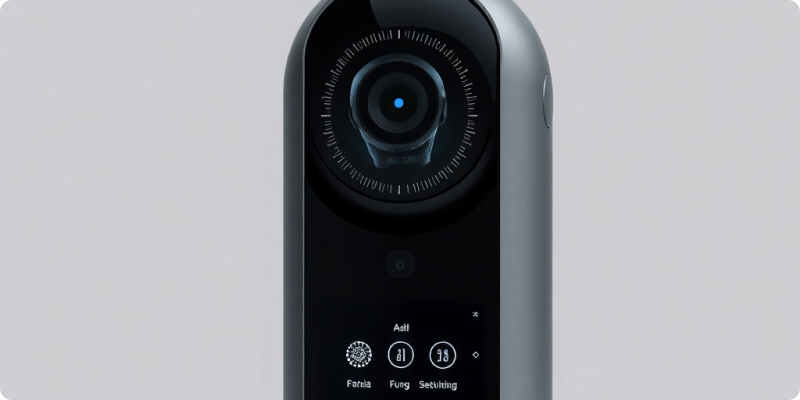
You can often turn existing security cameras into smart AI cameras by connecting their live video streams to an analysis platform. The cameras continue capturing the scene, while a separate AI layer looks for defined events and sends useful alerts. This approach can preserve working hardware, reduce disruption and let a site improve in stages.
The word “smart” should describe a useful workflow, not just a feature label. A valuable system identifies a relevant event, applies sensible rules, notifies the right person and gives them enough context to respond. Successful projects therefore begin with the operational problem, then match cameras and analytics to it.
Step 1: define what the camera should help you notice
Write down two or three clear outcomes. Examples might include noticing a person in a restricted area after hours, identifying a vehicle entering a designated zone or bringing a safety-relevant event to an operator's attention. Avoid starting with a long catalogue of possible detections. A narrow first phase makes alert quality easier to evaluate and gives the team a clear response procedure.
For each outcome, specify the area, schedule, responsible person and expected action. An alert that nobody owns simply creates noise. Consider legitimate everyday activity as well: deliveries, cleaners, staff shifts, animals, moving vegetation and headlights may all influence configuration.
Step 2: confirm access to each video stream
Most integrations use a standard network video stream such as RTSP, sometimes discovered or configured through ONVIF. The stream may come directly from an IP camera or from an NVR or DVR. Record the make, model, firmware version, codec and available resolutions. Check the camera compatibility guidance before changing the current recorder.
Some consumer cameras only send video to their manufacturer's cloud app. Others expose a local stream only after a setting is enabled. Analogue cameras usually depend on a DVR to digitise and share their video. If the system cannot provide an authorised stream, an encoder, recorder upgrade or targeted camera replacement may be necessary.
Check the picture, not only the specification sheet
Review live and recorded footage at the times the intended detection matters. Look for focus, glare, darkness, rain on the lens, obstructions and motion blur. Ensure people or vehicles appear large enough in the frame. Re-aiming or cleaning a camera can sometimes contribute more than increasing resolution. Preserve privacy by excluding areas that do not need monitoring.
Step 3: plan a secure, stable connection
Map how video travels from the camera or recorder to the AI service. Use dedicated accounts with only the access required, replace default passwords and keep camera firmware supported. Segment camera traffic where appropriate, restrict inbound access and avoid exposing recorder interfaces directly to the public internet. Your IT provider or network administrator should review the proposed path.
Measure available bandwidth during normal busy periods rather than relying only on an advertised plan speed. Stream resolution, frame rate, codec, bitrate and the number of cameras all affect traffic. If analysis happens at the site, internet demand may differ from a cloud-connected design. Build in resilience for the events and locations that matter most.
Step 4: connect a small pilot
Choose one to three representative views. Configure the desired detection area, schedule and alert destination, then let the pilot run through ordinary site conditions. The Surnexo connection process covers assessment, configuration and validation without assuming that every existing camera must be replaced.
Treat the first configuration as a starting point. Review examples with the people who understand the site, then adjust zones and rules. Record why each change was made. A loading yard may need different timing from a reception area, and a weekday schedule may not suit public holidays. The goal is a manageable flow of relevant events rather than an alert for every movement.
Measure what matters during the pilot
- Did the system surface the events included in the test plan?
- How many alerts needed review but no response?
- Did notifications reach the correct people promptly enough for their process?
- Did camera or network interruptions affect coverage?
- Could staff understand the alert and follow the documented action?
Step 5: expand with a supportable plan
Once the pilot is useful, group the remaining cameras by compatibility and purpose. Roll out high-priority views first, schedule any camera repositioning and document network settings. Keep an owner for user access, alert rules, retention choices and periodic review. Site layouts and routines change, so analytics need occasional tuning rather than being treated as a one-time installation.
You do not need to guess whether your current equipment is suitable. Prepare a camera list, a simple site map and the outcomes you want, then request a demo and ask for a quote. A scoped review can show which cameras are ready, which need adjustment and where selective replacement would add genuine value.
Experience AI-Powered Security Today
Discover how our intelligent cameras can transform your home security with advanced AI features, easy setup, and 24/7 protection.